
- Basic Image Operations
- Python Pillow - Working with Images
- Python Pillow - Resizing an Image
- Python Pillow - Flip and Rotate Images
- Python Pillow - Cropping an Image
- Python Pillow - Adding Borders to Images
- Python Pillow - Identifying Image Files
- Python Pillow - Merging Images
- Python Pillow - Cutting and Pasting Images
- Python Pillow - Rolling an Image
- Python Pillow - Writing text on image
- Python Pillow - ImageDraw Module
- Python Pillow - Concatenating two Images
- Python Pillow - Creating Thumbnails
- Python Pillow - Creating a Watermark
- Python Pillow - Image Sequences
- Python Pillow Color Conversions
- Python Pillow - Colors on an Image
- Python Pillow - Creating Images With Colors
- Python Pillow - Converting Color String to RGB Color Values
- Python Pillow - Converting Color String to Grayscale Values
- Python Pillow - Change the Color by Changing the Pixel Values
- Image Manipulation
- Python Pillow - Reducing Noise
- Python Pillow - Changing Image Modes
- Python Pillow - Compositing Images
- Python Pillow - Working with Alpha Channels
- Python Pillow - Applying Perspective Transforms
- Image Filtering
- Python Pillow - Adding Filters to an Image
- Python Pillow - Convolution Filters
- Python Pillow - Blur an Image
- Python Pillow - Edge Detection
- Python Pillow - Embossing Images
- Python Pillow - Enhancing Edges
- Python Pillow - Unsharp Mask Filter
- Image Enhancement and Correction
- Python Pillow - Enhancing Contrast
- Python Pillow - Enhancing Sharpness
- Python Pillow - Enhancing Color
- Python Pillow - Correcting Color Balance
- Python Pillow - Removing Noise
- Advanced Topics
- Python Pillow - Creating Animated GIFs
- Python Pillow - Batch Processing Images
- Python Pillow - Converting Image File Formats
- Python Pillow - Adding Padding to an Image
- Python Pillow - Color Inversion
- Python Pillow - M L with Numpy
- Python Pillow with Tkinter BitmapImage and PhotoImage objects
- Image Module
- Python Pillow - Image Blending
- Python Pillow Useful Resources
- Python Pillow - Quick Guide
- Python Pillow - Function Reference
- Python Pillow - Useful Resources
- Python Pillow - Discussion
Python Pillow - ImageDraw.rounded_rectangle() Function
The ImageDraw.rounded_rectangle() method is used to draw a rounded rectangle. The rectangle is defined by specifying a bounding box, a radius for the corners, and optionally, fill color, outline color, line width, and information about rounding each corner.
Syntax
Following is the syntax of the function −
ImageDraw.rounded_rectangle(xy, radius=0, fill=None, outline=None, width=1, corners=None)
Parameters
Here are the details of this function parameters −
xy − It specifies the two points that define the bounding box of the rounded rectangle. It can be specified as a sequence of two tuples [(x0, y0), (x1, y1)] or as a flat list [x0, y0, x1, y1]. In either case, the condition x1 >= x0 and y1 >= y0 must be satisfied. The bounding box is inclusive of both endpoints.
radius − The radius of the corners for the rounded rectangle.
fill − The color to use for filling the rounded rectangle.
outline − The color to use for the outline of the rounded rectangle.
width − The line width of the rounded rectangle's outline, in pixels. The default value is 1.
corners − A tuple indicating whether to round each corner. The tuple format is (top_left, top_right, bottom_right, bottom_left). This parameter is keyword-only.
Examples
Example 1
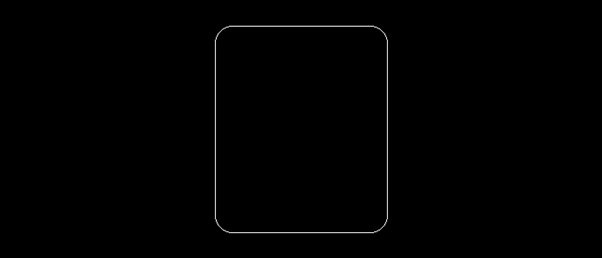
The following example draws a rounded rectangle inside the specified bounding box with rounded corners, using default parameters.
from PIL import Image, ImageDraw

# Create a new image with a white background
image = Image.new("RGB", (700, 300), "black")
draw = ImageDraw.Draw(image)

# Define the bounding box as a sequence of two tuples
bounding_box = [(250, 30), (450, 270)]

# Specify the radius for the rounded corners
radius = 20

# Draw a rounded rectangle default parameters
draw.rounded_rectangle(bounding_box, radius=radius)

# Display the image
image.show()
print('The rounded rectangle is drawn successfully...')
Output
The rounded rectangle is drawn successfully...
Output Image
Example 2
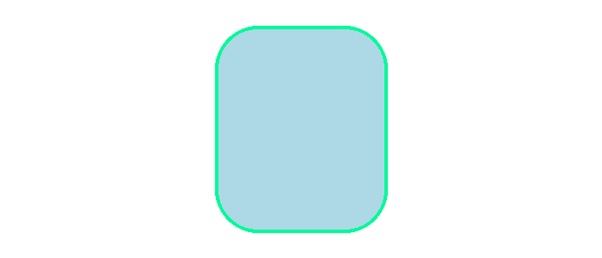
This example draws a rounded rectangle inside the specified bounding box with rounded corners, a light blue fill, a medium spring green outline, and a specified radius for the corners.
from PIL import Image, ImageDraw

# Create a new image with a white background
image = Image.new("RGB", (700, 300), "white")
draw = ImageDraw.Draw(image)

# Define the bounding box as a sequence of two tuples
bounding_box = [(250, 30), (450, 270)]

# Specify the radius for the rounded corners
radius = 50

# Specify fill and outline colors
fill_color = "lightblue"
outline_color = "mediumspringgreen"

# Draw a rounded rectangle
draw.rounded_rectangle(bounding_box, radius=radius, fill=fill_color, outline=outline_color, width=4)

# Display the image
image.show()
print('The rounded rectangle is drawn successfully...')
Output
The rounded rectangle is drawn successfully...
Output Image
Example 3
The following example demonstrates how to draw a rounded rectangle on an existing image with different parameters.
from PIL import Image, ImageDraw

# Open an Image
image = Image.open('Images/TP-W.jpg')

# Create the draw object
draw = ImageDraw.Draw(image)

# Define the bounding box as a sequence of two tuples
bounding_box = [(245, 45), (445, 345)]

# Specify the radius for the rounded corners
radius = 40

# Draw a rounded rectangle with custom fill and outline colors
draw.rounded_rectangle(bounding_box, radius=radius, outline="red", width=4)

# Display the image
image.show()

print('The rounded rectangle is drawn successfully...')
Output
The rounded rectangle is drawn successfully...
Output Image