- Basic Image Operations
- Python Pillow - Working with Images
- Python Pillow - Resizing an Image
- Python Pillow - Flip and Rotate Images
- Python Pillow - Cropping an Image
- Python Pillow - Adding Borders to Images
- Python Pillow - Identifying Image Files
- Python Pillow - Merging Images
- Python Pillow - Cutting and Pasting Images
- Python Pillow - Rolling an Image
- Python Pillow - Writing text on image
- Python Pillow - ImageDraw Module
- Python Pillow - Concatenating two Images
- Python Pillow - Creating Thumbnails
- Python Pillow - Creating a Watermark
- Python Pillow - Image Sequences
- Python Pillow Color Conversions
- Python Pillow - Colors on an Image
- Python Pillow - Creating Images With Colors
- Python Pillow - Converting Color String to RGB Color Values
- Python Pillow - Converting Color String to Grayscale Values
- Python Pillow - Change the Color by Changing the Pixel Values
- Image Manipulation
- Python Pillow - Reducing Noise
- Python Pillow - Changing Image Modes
- Python Pillow - Compositing Images
- Python Pillow - Working with Alpha Channels
- Python Pillow - Applying Perspective Transforms
- Image Filtering
- Python Pillow - Adding Filters to an Image
- Python Pillow - Convolution Filters
- Python Pillow - Blur an Image
- Python Pillow - Edge Detection
- Python Pillow - Embossing Images
- Python Pillow - Enhancing Edges
- Python Pillow - Unsharp Mask Filter
- Image Enhancement and Correction
- Python Pillow - Enhancing Contrast
- Python Pillow - Enhancing Sharpness
- Python Pillow - Enhancing Color
- Python Pillow - Correcting Color Balance
- Python Pillow - Removing Noise
- Advanced Topics
- Python Pillow - Creating Animated GIFs
- Python Pillow - Batch Processing Images
- Python Pillow - Converting Image File Formats
- Python Pillow - Adding Padding to an Image
- Python Pillow - Color Inversion
- Python Pillow - M L with Numpy
- Python Pillow with Tkinter BitmapImage and PhotoImage objects
- Image Module
- Python Pillow - Image Blending
- Python Pillow Useful Resources
- Python Pillow - Quick Guide
- Python Pillow - Function Reference
- Python Pillow - Useful Resources
- Python Pillow - Discussion
Python Pillow - ImageDraw.regular_polygon() Function
The ImageDraw.regular_polygon() method is used to draw a regular polygon inscribed in a bounding circle. The polygon is defined by specifying the bounding circle, the number of sides, and an optional rotation.
Syntax
Following is the syntax of the function −
ImageDraw.regular_polygon(bounding_circle, n_sides, rotation=0, fill=None, outline=None, width=1)
Parameters
Here are the details of this function parameters −
bounding_circle − It is a tuple that defines the bounding circle point and radius. It can be specified as a tuple (x, y, r) or as ((x, y), r). The polygon is inscribed in this circle.
n_sides − It specifies the number of sides for the regular polygon (e.g., n_sides=3 for a triangle, n_sides=6 for a hexagon).
rotation − An optional parameter that applies an arbitrary rotation to the polygon, specified in degrees (e.g., rotation=90 applies a 90-degree rotation). The default is no rotation (rotation=0).
fill − The color to use for filling the polygon.
outline − The color to use for the outline of the polygon.
width − The line width of the polygon's outline, in pixels. The default value is 1.
Examples
Example 1
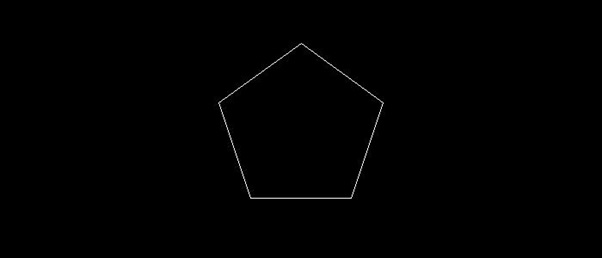
This example draws a regular pentagon inscribed in a bounding circle with a specified center, and radius, the remaining parameters are set remains to the default values.
from PIL import Image, ImageDraw

# Create a new image with a white background
image = Image.new("RGB", (700, 300), "black")
draw = ImageDraw.Draw(image)

# Define the bounding circle as a tuple (center, radius)
bounding_circle = ((350, 150), 100)

# Specify the number of sides for the regular polygon
n_sides = 5

# Draw a regular polygon inscribed in the bounding circle
draw.regular_polygon(bounding_circle, n_sides)

# Display the image
image.show()

print('The regular polygon is drawn successfully...')
Output
The regular polygon is drawn successfully...
Output Image
Example 2
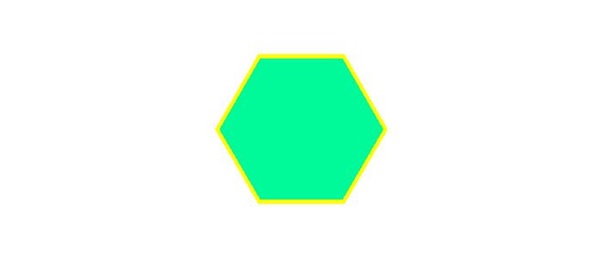
This example draws a regular pentagon inscribed in a bounding circle with a specified center and radius. The fill color is set to medium spring green, and the outline color is set to yellow with a line width of 5 pixels.
from PIL import Image, ImageDraw

# Create a new image with a white background
image = Image.new("RGB", (700, 300), "white")
draw = ImageDraw.Draw(image)

# Define the bounding circle as a tuple (center, radius)
bounding_circle = ((350, 150), 100)

# Specify the number of sides for the regular polygon
n_sides = 6

# Draw a regular polygon inscribed in the bounding circle
draw.regular_polygon(bounding_circle, n_sides, fill='mediumspringgreen', outline='yellow', width=5)

# Display the image
image.show()

print('The regular polygon is drawn successfully...')
Output
The regular polygon is drawn successfully...
Output Image
Example 3
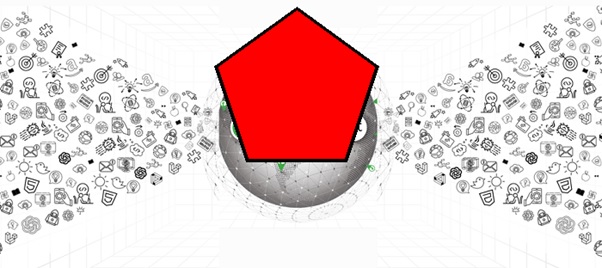
The following example demonstrates how to draw a regular polygon on an existing image with different parameters.
from PIL import Image, ImageDraw

# Open an Image
image = Image.open('Images/TP-W.jpg')

# Create the draw object
draw = ImageDraw.Draw(image)

# Define the bounding circle as a tuple (center, radius)
bounding_circle = ((345, 145), 100)

# Specify the number of sides for the regular polygon
n_sides = 5

# Set fill and outline colors
fill_color = "red"
outline_color = "black"

# Draw a regular polygon inscribed in the bounding circle
draw.regular_polygon(bounding_circle, n_sides, fill=fill_color, outline=outline_color, width=4)

# Display the image
image.show()

print('The regular polygon is drawn successfully...')
The regular polygon is drawn successfully...
Output
The regular polygon is drawn successfully...
Output Image